Outlook synchronization
with SimpleSYN
The sync solution for Windows PCs, iPhone, iPad and Android
Synchronize Emails, Calendar, Contacts, Notes and Tasks -
securely and without cloud storage!
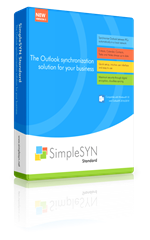
SimpleSYN Standard
Synchronize Outlook between multiple Windows PCs on the local network. Ideal for small businesses and private individuals.
- Outlook synchronization in the local network
- Powerful solutions for synchronization conflicts
- Free features like a duplicate finder
- No cloud storage of Outlook data
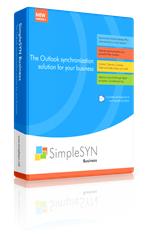
SimpleSYN Business
Synchronize Outlook between multiple workstations - in the office, at home, or on the go. With advanced features, it's ideal for teams and companies that want to work efficiently and anywhere.
- Includes all features of SimpleSYN standard
- Location-independent internet synchronization
- Powerful filter function
- Advanced synchronization settings
- Start as a Windows service
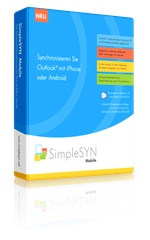
SimpleSYN Mobile
Synchronize Outlook between Windows PC and mobile devices such as iPhone, iPad or Android device.
- Bidectional synchronization
- Synchronize in the local network or via the Internet
- No iTunes, iCloud or additional apps necessary
- No cloud storage of Outlook data
What customers say

The synchronization solution for your Outlook data

Always up-to-date
With SimpleSYN Standard/Business, you can synchronize your Outlook data fully automatically between multiple Windows PCs – securely and reliably. New emails, appointments, and contacts are synchronized immediately, keeping your data always up to date
For mobile devices, SimpleSYN Mobile offers the perfect solution: Automatically and bidirectionally synchronize Outlook between your Windows PC and mobile devices such as iPhone, iPad or Android smartphones.

Sync Outlook in a local network or via Internet
SimpleSYN Standard ensures secure, fully automatic synchronization of your Outlook data between multiple Windows PCs on the local network – ideal for use in the office or at home..
For maximum flexibility, SimpleSYN Business and SimpleSYN Mobile also offer secure synchronization over the internet. This way, your Outlook data always stays up-to-date, even on the go and across all locations.

Maximum security
With SimpleSYN, your data is always optimally protected. Even by default, all communication is highly encrypted – thanks to hybrid encryption protocols such as SSL and TLS. Your personal information – emails, appointments, and contacts – is not stored in the cloud, but synchronized directly and exclusively between your devices.

Powerful additional functions
SimpleSYN offers you practical additional features. With the integrated duplicate finder, you can quickly and easily remove duplicate Outlook items.
Thanks to the backup function, accidentally deleted items can be easily restored at any time.
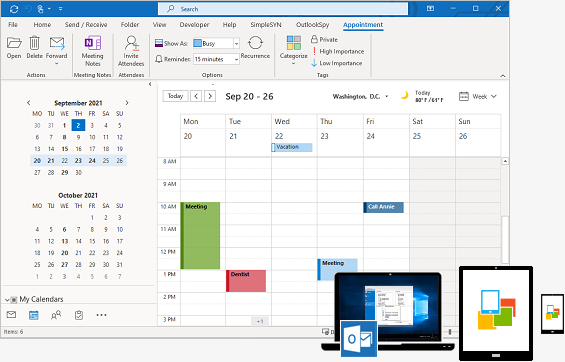
Synchronize Outlook – without cloud storage, secure & easy with SimpleSYN
For Windows PCs, iPhone, iPad and Android
Your advantages at a glance::
- Standard Edition: Synchronize Outlook between multiple Windows PCs on the same network. More info
- Business Edition: Synchronize Outlook from anywhere over the Internet – ideal for home offices, teams and multiple locations. More info
- SimpleSYN Mobile:: Keep emails, calendars, contacts, notes and tasks on your iPhone, iPad or Android device up to date.. More info
Easy installation and user-friendly operation:
- No cloud or Exchange required
- No complex sharing setups, FTP, or USB solutions
- Fast installation & intuitive usability
Ideal for companies, hotels, authorities, freelancers and private individuals who want to keep their Outlook data up to date on multiple devices.
Sync Outlook in the Network – Simple and Efficient!
The Standard Edition is ideal for anyone who wants to automatically synchronize emails (POP3), calendars, or contacts between multiple Windows PCs in the local network. Effortlessly sync Outlook between your laptop and desktop PC, or use this practical tool to synchronue Outlook within your team. More info
Synchronize Outlook with Your iPhone, iPad, or Android device!
With SimpleSYN Mobile, you can seamlessly synchronize your Outlook data between your Windows PC and mobile devices such as iPhone, iPad, or Android. Whether on a local network or over the internet, your data remains secure and local on your device, without being stored in the cloud.
SimpleSYN Mobile not only allows you to sync your Outlook calendar but also your emails, contacts, notes, and tasks. Experience the freedom and flexibility of having your important information readily available anytime, anywhere. More info
Sync Outlook over the Internet
With the Business Edition, you can synchronize your Outlook data not only locally but also over the internet. Whether it's emails, contacts, or calendars – conveniently sync your data between your laptop and office PC, no matter where you are. Your personal data remains secure and is not stored in the cloud.
The Business Edition also offers a powerful filtering function that allows you to easily exclude private appointments or personally marked items from synchronization.
Whether in the office, with clients, or on the go – with the Business Edition, you always have your Outlook data readily available worldwide. More info
How to sync Outlook Calendars between your computers
SimpleSYN not only keeps your emails (POP3) on all computers up to date, it also synchronizes your Outlook contacts, notes, to-do lists and sync your Outlook calendar between your desktop computer and your laptop and allows you to share your Outlook calendar with coworkers.