SimpleSYN Version 7
Upgrade now to the current major version 7 and benefit from discounts.
SimpleSYN Version 7 has been optimized for the classic Outlook version 2024 and already supports all future classic Outlook versions.
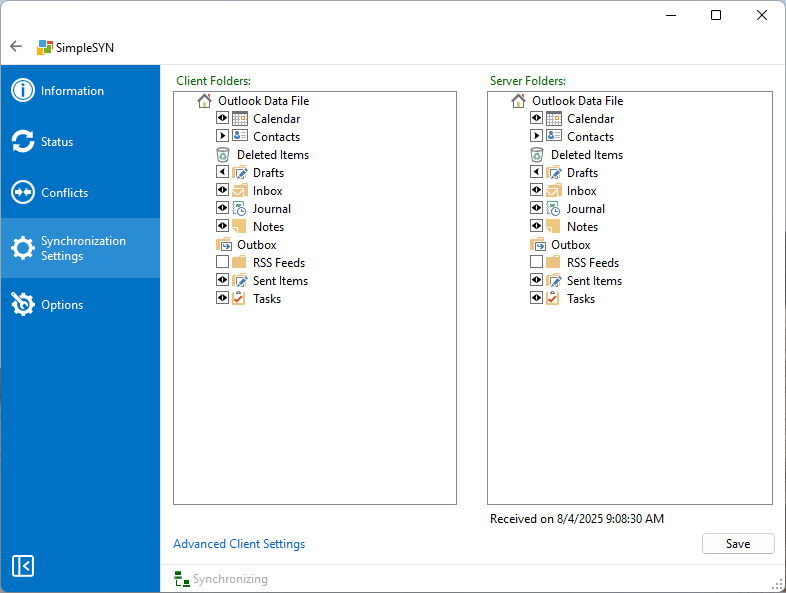
A key new feature is the permanent display of the synchronization status in the main window. This allows you to keep an eye on the current state of data transfer at all times. For a more compact view, the navigation bar can be collapsed if needed. The update information has also been expanded: notifications about new versions now appear additionally in the “Information” section and no longer exclusively as a popup message.
Error handling during synchronization has been improved. Problems accessing data files – such as locked files – are now communicated more clearly, preventing empty folder lists in the event of synchronization errors. The password input has also been revised – if desired, the entered password can be displayed to reduce input errors.
In the background, the SimpleSYN service has been further optimized in terms of stability and performance. The display of data files has also been revised: they are now shown in sorted order, which increases clarity. In addition, a function for exporting and importing configuration settings has been introduced, enabling easy backup and restoration of individual configurations.
Furthermore, Version 7 includes a number of other minor adjustments and optimizations that contribute to the reliability and user-friendliness of the application.
Secure your discounts now:
If you have purchased a license for SimpleSYN version 5 or version 6, you will receive a 20% discount for the upgrade in the same license quantity.
Order page:
SimpleSYN Business Version 7:
https://www.checkout-ds24.com/product/571942?quantity=2¤cy=EUR
SimpleSYN Standard Version 7:
https://www.checkout-ds24.com/product/573975?quantity=2¤cy=EUR
Enter the discount code in the "Discount code" field on the order page.
Important note on ordering:
You`ll need a license per computer you want to synchronize.
For example: If you wish to synchronize Outlook between your laptop and your desktop computer, you will need two licenses. If you want to synchronize 3 computers, you`ll need 3 licenses, etc.
Adjust the order quantity in the shopping cart according to the order quantity you have purchased from version 5/6. If you would like to use version 6 on other PCs, you will need additional licenses for version 7. In this case, please contact us.
Order processing is carried out by our sales partner Digistore24 GmbH, St.-Godehard-Straße 32, 31139 Hildesheim, Germanny. Digistore24 is the distributor and contractual partner of the licenses offered in this store.
Download:
SimpleSYN Business v7
SimpleSYN Standard v7
Changelog | License agreement (EULA) | Documentation | Privacy | System requirements
Installation instructions:
An existing SimpleSYN installation will be replaced by the installation.
Note about upgrading from version 6:
All data and configurations are automatically transferred.
Note about upgrading from version 5:
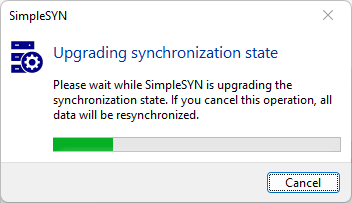
All data is transferred during the upgrade from version 5 to version 7. The data transfer and the updating of the synchronization status takes place automatically during setup. Please do not cancel this process, otherwise all data will be resynchronized.