SimpleSYN main window
Applies to version: Version 7.x
To open the SimpleSYN main window, start SimpleSYN and double click onto the SimpleSYN symbol in the Windows® notification area. Alternatively right click the symbol and select “Open SimpleSYN”.
The information page shows the license information or the remaining test time as well as links to the online help.
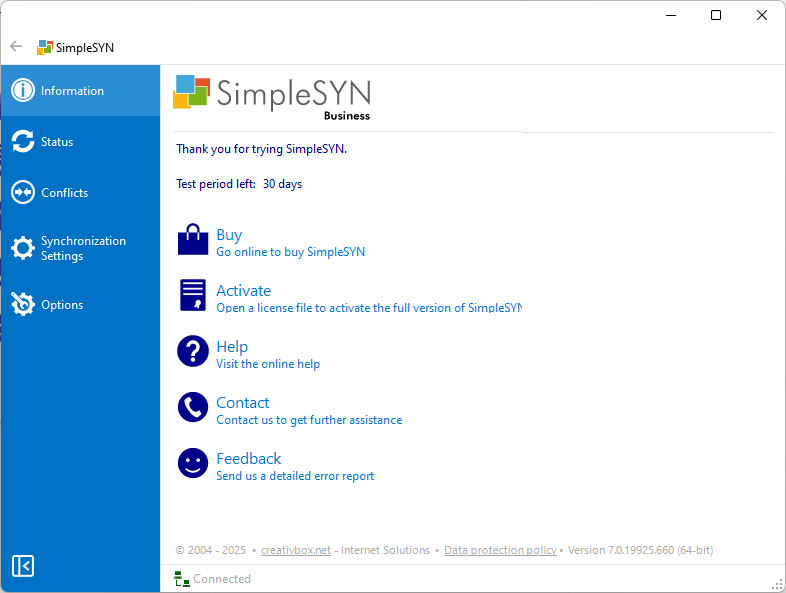 Image 1: SimpleSYN main window
Buy
Click “Buy” to open the SimpleSYN website, where you’ll find all the information you need to buy a license.
Activate
If you’ve already purchased a license, click “Activate” to open your license file. This will convert your trial version into the full version.
Help
Click “Help” to open the online help section, which provides detailed guides and answers to frequently asked questions.
Contact
Need assistance? Click “Contact” to visit the SimpleSYN website for support and contact options.
Feedback
SimpleSYN includes a built-in feature that allows you to send feedback and diagnostic data directly to the development team